Python vs Excel for Data Analysis: A Framework Decision Guide
May 21, 2026 · Framework First Academy
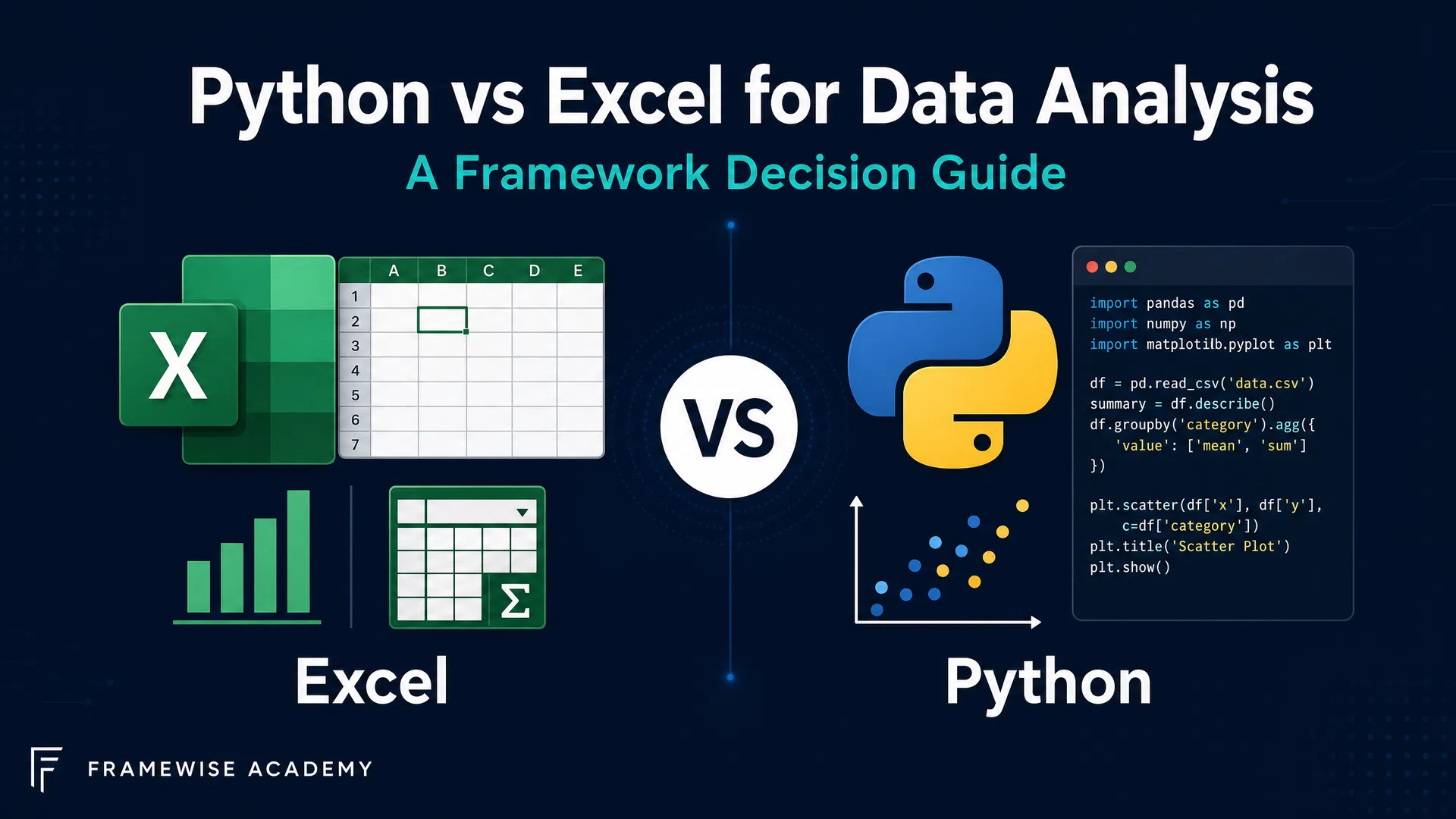
In the dynamic world of data analysis, professionals often find themselves at a crossroads, weighing the merits of different tools. Among the most prominent contenders are Python and Excel, each offering distinct advantages and approaches to understanding complex datasets. The choice between Python vs Excel for data analysis is not merely a technical one; it reflects a deeper framework of thinking about scale, complexity, collaboration, and career trajectory. This article delves into a framework comparison, helping data professionals navigate this critical decision and empower their analytical journey.
Introduction: The Evolving Landscape of Data Analysis
The landscape of data analysis is in constant flux, driven by an explosion of data volume, velocity, and variety. What was once a niche skill is now a fundamental requirement across industries, demanding tools that can keep pace with evolving challenges. Traditional spreadsheet applications like Excel have long been the bedrock for many, offering an intuitive interface for quick calculations and visualizations. However, the sheer scale and intricate nature of modern data often push these tools to their limits, necessitating more robust and programmable solutions. This evolution compels us to adopt a framework-based approach to tool selection, moving beyond superficial comparisons to understand the underlying principles that guide effective data work.
Framework thinking in data analysis encourages us to consider not just the immediate task, but the broader context, future scalability, and the strategic implications of our tool choices. It's about asking: what problem are we truly trying to solve, and which tool aligns best with the long-term objectives of our analysis and our organization? This foundational perspective is crucial when evaluating the roles of Python and Excel, ensuring that decisions are informed by strategic foresight rather than mere habit or convenience. Understanding this evolving landscape is the first step in building a resilient and effective data analysis toolkit.
Excel: Strengths and Limitations for Data Professionals
Excel remains an indispensable tool for millions, primarily due to its unparalleled accessibility and user-friendly interface. For small to medium datasets and ad-hoc analyses, Excel's grid-based structure allows for rapid data entry, manipulation, and visualization. Its immediate feedback loop, where changes are instantly reflected, fosters a sense of direct interaction with the data, making it ideal for initial exploration and quick insights. The widespread familiarity with Excel also facilitates collaboration with non-technical stakeholders, as most business professionals can readily understand and interact with a spreadsheet. This ease of use and ubiquity are significant strengths that cement its place in many analytical workflows.
However, Excel's strengths become its limitations as data grows in size and complexity. With a practical limit of approximately 1 million rows, Excel struggles with large datasets, often leading to performance issues, crashes, and data integrity concerns. Its formula-based approach, while intuitive for simple tasks, can become cumbersome and error-prone for complex transformations or repetitive operations. The lack of inherent version control and the difficulty in auditing changes make reproducibility a significant challenge, undermining the traceability essential for robust data analysis. Furthermore, integrating Excel with external data sources like cloud databases or APIs often requires manual effort or third-party add-ins, highlighting its limitations in a connected data ecosystem. Recognizing these boundaries is a key aspect of framework thinking, prompting us to consider when a different tool is warranted.
Python: The Powerhouse for Scalable Data Science
Python has emerged as a powerhouse in the realm of data science, offering a versatile and scalable solution for virtually any data challenge. As the world's most popular computing language, boasting nearly 30% popularity share, its ecosystem is vast and continually expanding. Python's strength lies in its extensive libraries, with over 500,000 custom-built software packages specifically designed for data manipulation, statistical analysis, machine learning, and visualization. Libraries like Pandas, NumPy, SciPy, and Scikit-learn provide sophisticated functionalities that far exceed the capabilities of traditional spreadsheets, enabling analysts to tackle complex problems with efficiency and precision.
Beyond its rich ecosystem, Python's programmatic nature offers unparalleled advantages in reproducibility and automation. Python scripts are highly reproducible, making analysis traceable and auditable, a critical factor for maintaining data integrity and validating results. This contrasts sharply with Excel's manual, click-based operations, which can be difficult to document and replicate consistently. For tasks involving large datasets, complex transformations, or the development of machine learning models, Python provides the necessary infrastructure to scale operations effectively. Its ability to integrate seamlessly with cloud databases, APIs, and other software systems positions it as the go-to tool for building robust, automated, and enterprise-grade data solutions. Adopting Python is not just about learning a new tool; it's about embracing a framework for scalable, reproducible, and advanced analytical thinking.
Key Differences: Python vs. Excel in Detail
The fundamental differences between Python and Excel stem from their core design philosophies. Excel is a spreadsheet application, designed for interactive data manipulation and visualization within a grid. Python, on the other hand, is a general-purpose programming language, offering a command-line interface and script-based execution. This distinction profoundly impacts how data professionals approach problems, manage scale, and ensure the integrity of their work. Understanding these differences through a comparative framework is essential for making informed decisions.
| Feature | Excel | Python |
|---|---|---|
| Data Volume | Limited (approx. 1 million rows) | Virtually unlimited (memory-dependent) |
| Automation | Manual, VBA macros (limited) | Highly automated, script-based |
| Reproducibility | Low (manual steps, no version control) | High (code-based, version control friendly) |
| Complexity | Simple calculations, ad-hoc analysis | Complex transformations, ML/AI, statistical models |
| Learning Curve | Low (GUI-driven) | Moderate to High (programming concepts) |
| Integration | Limited (manual, add-ins) | Extensive (APIs, databases, web services) |
This table highlights that while Excel excels in immediate, visual interaction, Python offers a more robust, scalable, and programmable environment. The choice between them often boils down to the nature of the task and the desired level of control, automation, and scalability. It's a decision framework that prioritizes efficiency and reliability over sheer speed of initial setup for more demanding analytical endeavors. Misconceptions like "Excel is obsolete for data analysis" or "Python is only for advanced programmers" often arise from a failure to appreciate these nuanced differences and the specific contexts in which each tool thrives.
When to Choose Which: A Decision Framework for Analysts
Choosing between Python and Excel is not about declaring one superior, but rather about applying a pragmatic decision framework based on the specific analytical context. For tasks involving small to medium datasets or ad-hoc analysis, Excel remains an excellent choice. Its intuitive interface allows for quick data exploration, simple calculations, and rapid visualization, making it ideal for initial data triage or scenarios where immediate, informal insights are needed. When collaborating with non-technical users or for initial data exploration, Excel's familiarity and ease of sharing can significantly streamline communication and feedback loops.
Conversely, if you are dealing with large datasets, complex transformations, automation, or machine learning/AI tasks, Python is the unequivocal choice. Its ability to handle virtually unlimited data, coupled with its powerful libraries, provides the scalability and computational efficiency required for advanced analytics. For scenarios needing to integrate with cloud databases or APIs, Python's robust connectivity options make it indispensable. Furthermore, for those aiming for career progression in data science, learning Python is not merely an advantage but a necessity, as it forms the backbone of modern data science workflows. This framework emphasizes aligning the tool with the task's demands and your professional aspirations, debunking the misconception that "Python is always better than Excel" by acknowledging their complementary roles.
Bridging the Gap: Python in Excel and Hybrid Approaches
The evolving data landscape recognizes that Python and Excel are not mutually exclusive; in fact, there's a growing trend towards hybrid approaches that leverage the strengths of both. The integration of Python directly into Excel, notably through the =PY function, represents a significant leap forward. This feature allows users to execute Python code within Excel cells, enabling them to harness Python's powerful data manipulation and analysis capabilities while retaining Excel's familiar spreadsheet interface. This bridging of the gap empowers Excel users to perform more complex operations, access Python's vast library ecosystem, and enhance reproducibility without fully transitioning to a new environment. It's a testament to framework thinking that seeks to combine the best of both worlds rather than forcing an either/or choice.
Hybrid approaches extend beyond direct integration. Many data professionals use Excel for initial data collection, cleaning, and quick summaries, then export the data to Python for more advanced statistical modeling, machine learning, or automated reporting. Conversely, Python can be used to generate complex datasets or analytical outputs that are then imported into Excel for final presentation or sharing with less technical audiences. This workflow optimizes each tool for its strongest use case, creating a seamless and efficient analytical pipeline. Such strategies effectively address the misconception that "Python and Excel are mutually exclusive," demonstrating how a thoughtful framework can integrate diverse tools into a cohesive and powerful data strategy.
Real-World Applications: Python and Excel in Action
To illustrate the practical application of our decision framework, consider various real-world scenarios. In a small business setting, a marketing analyst might use Excel to track campaign performance, manage customer lists, and generate weekly reports. The dataset size is manageable, and the need for quick, visual summaries aligns perfectly with Excel's strengths. This ad-hoc analysis, often shared directly with team members, benefits from Excel's immediate accessibility and ease of understanding for non-technical colleagues. Here, the framework points to Excel as the most efficient tool for the task at hand.
Contrast this with a large e-commerce company analyzing millions of customer transactions to predict purchasing behavior. A data scientist would leverage Python for this task, using libraries like Pandas for data cleaning and transformation, Scikit-learn for building predictive models, and Matplotlib or Seaborn for advanced visualizations. The sheer volume of data, the complexity of the algorithms, and the need for automated, reproducible pipelines make Python the indispensable choice. Furthermore, if this analysis needs to integrate with a cloud-based data warehouse or an external API for real-time data, Python's capabilities are unmatched. These examples underscore how a clear understanding of the analytical problem, data characteristics, and desired outcomes guides the selection of the appropriate tool, reinforcing the idea that "Python is only for advanced programmers" is a misconception when considering the breadth of data challenges.
Conclusion: Empowering Your Data Journey
The journey through data analysis is less about mastering a single tool and more about cultivating a robust framework for decision-making. The choice between Python and Excel for data analysis is a prime example of this principle. While Excel offers unparalleled accessibility for smaller, ad-hoc tasks and collaboration with non-technical users, Python provides the scalable, reproducible, and powerful capabilities required for large datasets, complex modeling, and advanced data science. Neither tool is inherently superior; their value is determined by the context, the problem at hand, and the strategic objectives of the analysis. Embracing hybrid approaches and leveraging the strengths of both tools represents a mature framework for modern data professionals.
Ultimately, empowering your data journey means understanding the unique strengths and limitations of each tool and applying a thoughtful decision framework to select the most appropriate one. It's about thinking critically about scale, complexity, automation, and your career aspirations. By doing so, you move beyond mere tool proficiency to become a strategic data practitioner. Ready to master the tools that will define your analytical future? Explore the Python & AI Track at Framework First Academy.
Continue Learning at Framework First Academy
Cite this page
APA
Framework First Academy. (2026, May 21). Python vs Excel for Data Analysis: A Framework Decision Guide. Framework First Academy. https://www.frameworkfirst.site/blog/python-vs-excel-data-analysis-comparison
BibTeX
@misc{ffa-2026,
  author = {Framework First Academy},
  title = {Python vs Excel for Data Analysis: A Framework Decision Guide},
  year = {2026},
  howpublished = {\url{https://www.frameworkfirst.site/blog/python-vs-excel-data-analysis-comparison}},
  note = {Accessed: 2026-10-10}
}Learn the framework behind the article
30 courses. Four stages. Every one starts with the situation, not the syllabus.
Explore coursesKeep reading
DMAIC vs PDCA: Which One Do You Reach For? (With a Decision Table That Actually Decides)
DMAIC or PDCA? This in-depth guide breaks down the key differences, a side-by-side comparison, and a practical decision table to help you choose the right process improvement framework for your situation — with four real-world scenarios.
Scrum vs Kanban: Agile Framework Comparison
Scrum vs Kanban — a framework-focused comparison of two leading Agile methodologies, including a decision guide to help teams choose the right approach for their context.
Lean Six Sigma vs Six Sigma: Differences & When to Use Each
Understand the key differences between Lean Six Sigma and Six Sigma, when to use each, and how to choose the right roadmap for your process improvement goals.